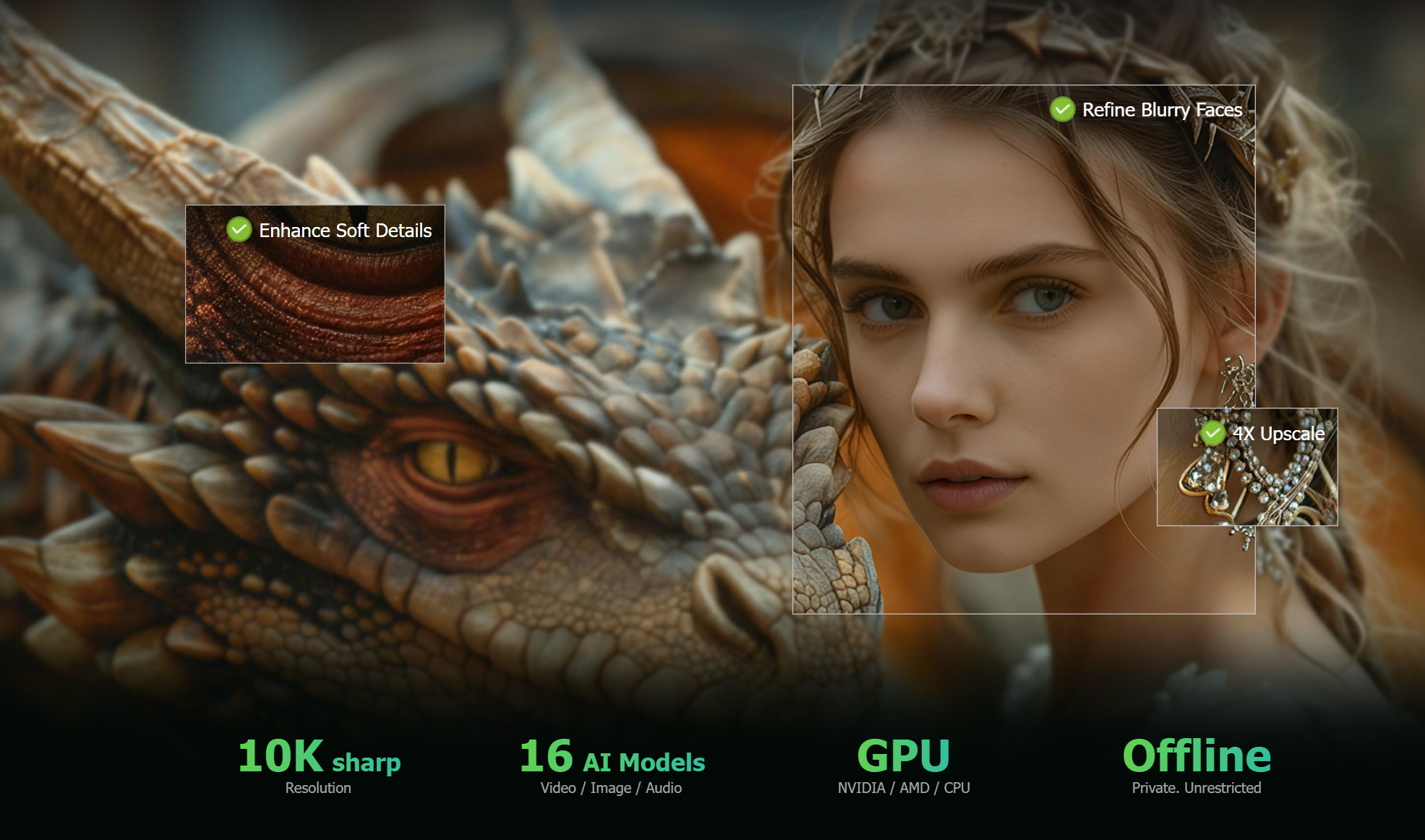

VideoProc launches a new AIGC campaign to help creators upscale and enhance selected AI-generated videos and images while reducing unnecessary generation costs.
CHENGDU, SICHUAN, CHINA, August 28, 2026 /EINPresswire.com/ — VideoProc from Digiarty Software, has launched a new AIGC-focused campaign to help creators improve AI-generated videos and images after generation. The campaign addresses common post-generation challenges, showing how creators can select the best AI outputs and enhance them locally for better resolution, detail, motion, and export quality—without repeatedly spending generation credits. The campaign also features a limited-time VideoProc Converter AI Super Sale with savings on lifetime licenses, unlimited upgrades, and free gifts:
https://www.videoproc.com/video-converting-software/feature-enhance-ai-videos-images.htm
“AI generation is only one part of the creative workflow,” says Angie Tane, Marketing Manager at VideoProc. “Our AIGC campaign focuses on what creators can do after generation – enhancing selected videos and images to improve quality, motion, and readiness for final use.”
Upscaling Selected AI-Generated Content to Save Credits
AI-generated video can look convincing but still fall short of the resolution required for final use. Lower-resolution generation can be more economical for exploring multiple versions, while generating every draft at the highest resolution may quickly consume credits. A more efficient workflow is to generate at a lower resolution, select the strongest result, and then upscale the video locally.
VideoProc Converter AI can upscale selected 720p or 1080p AI-generated clips to 4K with AI Super Resolution, helping creators save generation credits for creative iteration while using post-processing for the content they choose to keep. It can also help restore resolution after cropping or reframing, when the reduced image area leaves fewer pixels for final sharing, display, or delivery.
Closing Quality Gap between AI Output and Final-Quality Video
Even when an AI-generated clip has sufficient resolution, it may still look softer than expected, with weak textures, artificial-looking edges, or visible noise. These issues can become more obvious in close-ups of faces, fabrics, hair, and product surfaces, particularly when the footage is enlarged or used alongside professionally shot material.
The AI video enhancer addresses this layer of quality with AI enhancement models that sharpen soft visuals, recover fine textures, and reduce noise while preserving the look of the original generation. Its V3 models are designed to distinguish blur from actual detail and improve areas such as skin, fabric, and fur without simply redrawing the scene.
Improving AI-Generated Images for More Demanding Uses
AI-generated images can look sharp in a prompt preview but fall short when enlarged for real-world use. Many popular image generators still output images around 1K–2K resolution. For example, SDXL 1.0 is optimized for 1024 × 1024 images, while Midjourney supports up to 2048 × 2048 in HD and Adobe Firefly lists a maximum download resolution of 2000 × 2000 pixels. These limits can become noticeable when images are enlarged for posters, product graphics, large displays, or print.
Generating every image at a higher resolution can also increase costs. For example, Nano Banana 2 costs $0.067 per 1K image versus $0.151 for a 4K output through the Gemini API. Instead, creators can use VideoProc Converter AI to locally upscale selected AI images to 8K or 10K with AI Super Resolution. This can also help restore resolution after cropping or reframing.
Restoring Facial Detail in AI-Generated Portraits
AI-generated portraits can look impressive at first glance, yet facial details often become less convincing when the image is enlarged or used in higher-resolution creative work. Eyes may appear soft, hair and skin textures can lose definition, and subtle facial features may become blurred or artificial.
VideoProc Converter AI helps creators refine these details with AI-powered image enhancement and upscaling. By intelligently reconstructing fine textures and facial features, it can make AI-generated portraits appear sharper and more natural while preserving the overall look of the original image. This is particularly useful for profile images, character designs, social media graphics, posters, and other projects where facial detail matters.
Smoothing Motion without Regenerating a Usable Clip
Low frame rates can make AI-generated video look less fluid, especially in scenes with dancing, running, rotating products, vehicles, or other fast movement. If the clip is otherwise usable, AI Frame Interpolation can generate additional frames between existing ones to create smoother motion without regenerating the entire shot.
Preparing AIGC Assets for Social Platforms and Client Delivery
AI-generated assets often need to be resized, converted, compressed, or reformatted for different platforms and delivery requirements. VideoProc Converter AI, an all-in-one toolkit, combines format conversion, compression, resizing, editing, and enhancement in one workflow, making it easier to prepare multiple versions of the same AI content while preserving as much visual quality as possible.
Limited-Time AIGC Super Sale
To support the campaign, the company is offering a limited-time Super Sale on VideoProc Converter AI, featuring huge savings on lifetime licenses, unlimited upgrades, and free gifts.
https://www.videoproc.com/campaign/gift-offer.htm
For more information about VideoProc Converter AI, visit the official VideoProc website:
https://www.videoproc.com/video-converting-software/
About Digiarty Software
Established in 2006, Digiarty Software is a pioneer in multimedia innovation, offering AI-powered and GPU-accelerated solutions for video and image enhancement, editing, and conversion. With its mission to “Art Up Your Digital Life,” the company integrates advanced AI technologies to streamline media processing for professionals and enthusiasts alike. VideoProc, Digiarty’s flagship product, has garnered 5.2 million users across more than 180 countries, reinforcing the company’s role as a leader in digital media innovation.
Viola Nee
Digiarty Software Inc.
+86 28 8513 4884
email us here
Visit us on social media:
LinkedIn
Facebook
YouTube
X
How to Enhance Video, Image & Audio Quality with AI (Complete Workflow)
Legal Disclaimer:
EIN Presswire provides this news content “as is” without warranty of any kind. We do not accept any responsibility or liability
for the accuracy, content, images, videos, licenses, completeness, legality, or reliability of the information contained in this
article. If you have any complaints or copyright issues related to this article, kindly contact the author above.

Media gallery